From a description to a running app.
You describe your app, the AI builds it, and you see and approve every change. The Studio is being built right now. Each step shows whether it runs today, is being built or is still planned.
- Live todayruns on studio.kumiko.rocks
- In progressbeing built now
- Plannedplanned, not started yet
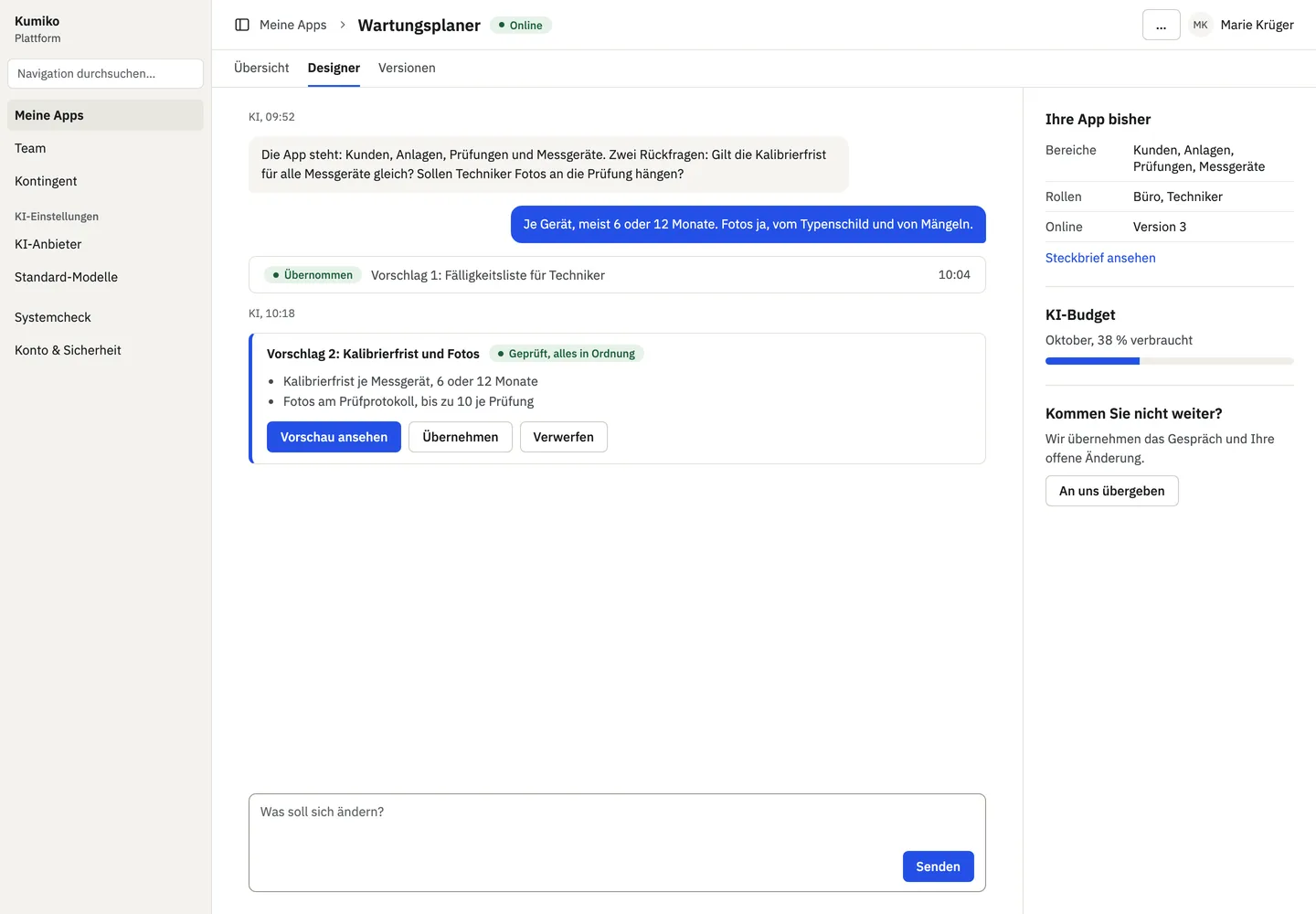
Images marked “Draft” show the design draft, not the running software.
Account and apps
You sign in on studio.kumiko.rocks. There you see your apps with their status, your quota and the AI settings. Accounts are currently by invitation.
Describe the app
You describe in plain language what the app should do. The AI turns that into an app profile: who works with the app and what they may do, and whether files, PDFs or emails are part of it. It asks about anything still open. Each point shows what it means for size and running costs. Login, users and separate data per company are always included. The AI builds the first version from the profile.
Until this step is done, we set up new apps together with you.
Checked before you see it
Every AI proposal runs through an automatic check of code, data model and framework rules before it reaches you. If the check fails, the AI repairs it itself. If that does not work, the request comes to us. In a preview you try the change without touching the data of the running app.
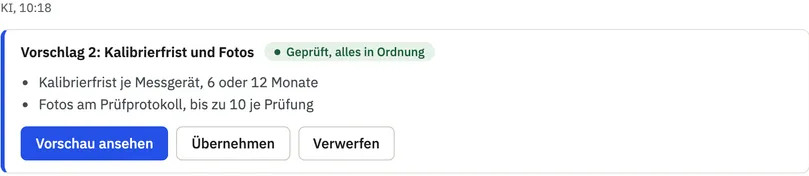
Change it in conversation
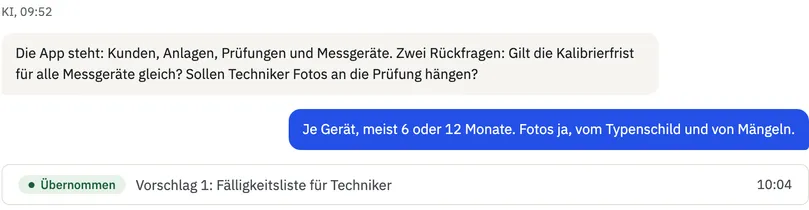
Each app has its own conversation with history. The AI asks follow-up questions and answers in the language of your field. Nothing is adopted until you approve it. You only see code if you expand it.
Publish
One button takes the change live, and the new version is created along the way. You follow the progress on the app page, and errors are explained in plain language. If the start fails, the previous version keeps running.

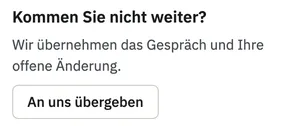
Hand it over to us
If you get stuck, you send the request with its history to us. We build it and add it to your conversation as a proposal. You approve it like any change of your own. If you would rather not describe a new app yourself, the questionnaire for a new app offers the handover to us.
Keep the app in view
The app page shows the app's address and status, the last accepted change and how much of your account quota the app uses.
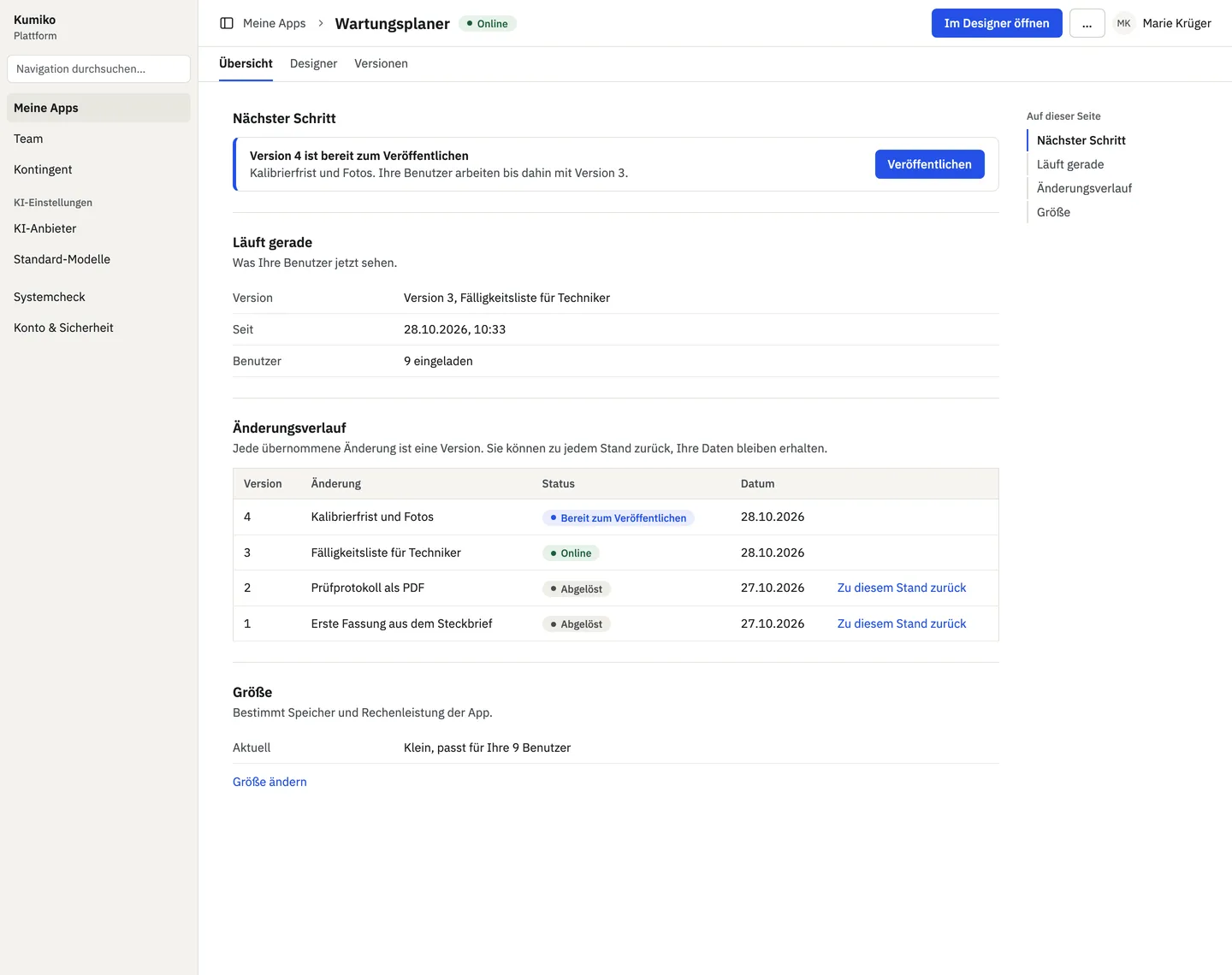
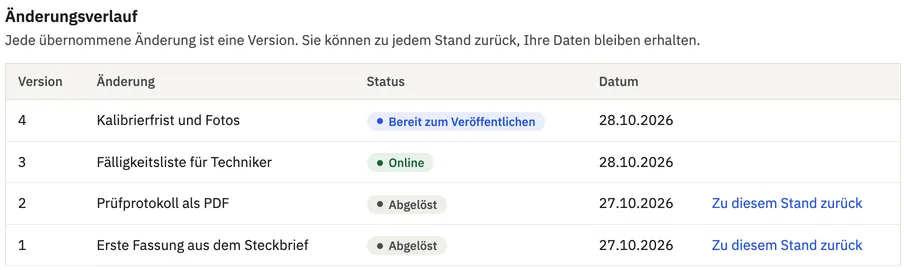
Go back to an earlier state
Every accepted change appears in the history, described in the language of your field. With “Go back to this state” you restore an earlier version. Your data stays in place.
App size
Each app gets a fixed size class with set values for compute, memory and storage, with no free sliders. Your plan caps the total across all apps in the account.

This is what a running Kumiko app looks like.
The maintenance app of Muster Metallbau GmbH runs publicly as a demo. It is read-only: you can look at everything and click through it, only saving is blocked.